

If you’re a blogger, content creator, author, or business owner, you’ll come across lots of opinions about AI (artificial intelligence). Some people love it and are leaning into autoblogging to get content out there faster than ever before. Others are using it mainly for initial drafts, with plenty of human-editing in the mix, like Ryan does. And some are railing against AI, seeing it not only as inferior in quality, but actively harmful to writers, artists, and creators.
Whatever your own views, it’s very clear that AI is here to stay. As a freelance blogger and novelist, I’ll admit I have some mixed feelings! My whole career has merged my love of writing and my love of the online world, and while I definitely don’t want to see writers like me 👋 replaced by machines, I do love cool new tools and technologies.

Here’s my take: as AI stands right now, it’s a fantastic tool for bloggers and small business owners for content like blog articles and social media posts.
AI can produce competent, very readable text … and honestly, for a lot of purposes, that’s good enough. It doesn’t match up to what a skilled freelancer, journalist, or author could write, but if you’re trying to keep down the costs of blogging, even a premium AI tool is going to cost a whole lot less than paying a freelancer to write all your blog posts for you.
You can also use AI to generate images for your blog or for social media: a massive timesaver if, like me, you’ve ever spent what feels like hours trying to find the perfect image on a free stock photo site.
AI definitely won’t be replacing novelists or poets any time soon, but for bloggers and content creators, it can dramatically speed up the time it takes to write a high-quality, well-structured, SEO-friendly blog post.
In this article, we’ll be taking a look at how to use RightBlogger (using their free account) to write a fantastic blog post. I recommend using RightBlogger, as it has a brilliant article writer that does a lot of the heavy lifting for you, and the free account is truly free (no time limit, no credit card required).
Prefer to use a different AI tool? You can adapt these steps for other free AI tools, like ChatGPT, Copilot, and Claude: just make sure you take a look at these tips on crafting ChatGPT prompts to help you.
How to Write a Blog Post with AI (for Free): My RightBlogger Tutorial
- What is RightBlogger? (Set of AI Blog Tools)
- Why Use RightBlogger Instead of ChatGPT?
- How to Get Started With RightBlogger
- Step 1: Choose a Keyword Using the RightBlogger Keyword Tool
- Step 2: Come Up With Ideas for Your Blog Post With RightBlogger
- Step 3: Outline Your Post With RightBlogger
- Step 4: Draft Your Post (With or Without RightBlogger!)
- Step 5: Optimize Your Blog Post for SEO
- Step 6: Check Your Facts and Your Grammar
Create Automated SEO Blog Posts in Minutes with RightBlogger
Join 45,417+ bloggers, marketers, writers & business owners in using RightBlogger, my very own Autoblogging solution with a built-in automated Content Schedule, and a kit of 80+ powerful tools for blogging, SEO, and marketing. You’ll create AI SEO-optimized content faster & get more traffic from Google and ChatGPT today. Plus, you’ll access online courses, a community, and more.
What is RightBlogger? (Article Writing, Autoblogging, and 1-Click SEO Optimization)
RightBlogger is a really powerful suite of AI tools developed by Ryan Robinson (the owner of RyRob, here) and software engineer Andy Feliciotti. They keep adding cool new features, and it’s been especially interesting to see them develop RightBlogger’s autoblogging and SEO optimization functionality … these really level the playing field for small blogs!
RightBlogger offers a 100% free account to try all the tools out, and it’s suitable for bloggers & content creators of all levels—from complete beginners to experienced bloggers running multi-person companies.
Here’s a quick preview of what one of their most popular tools, the Article Writer looks like:
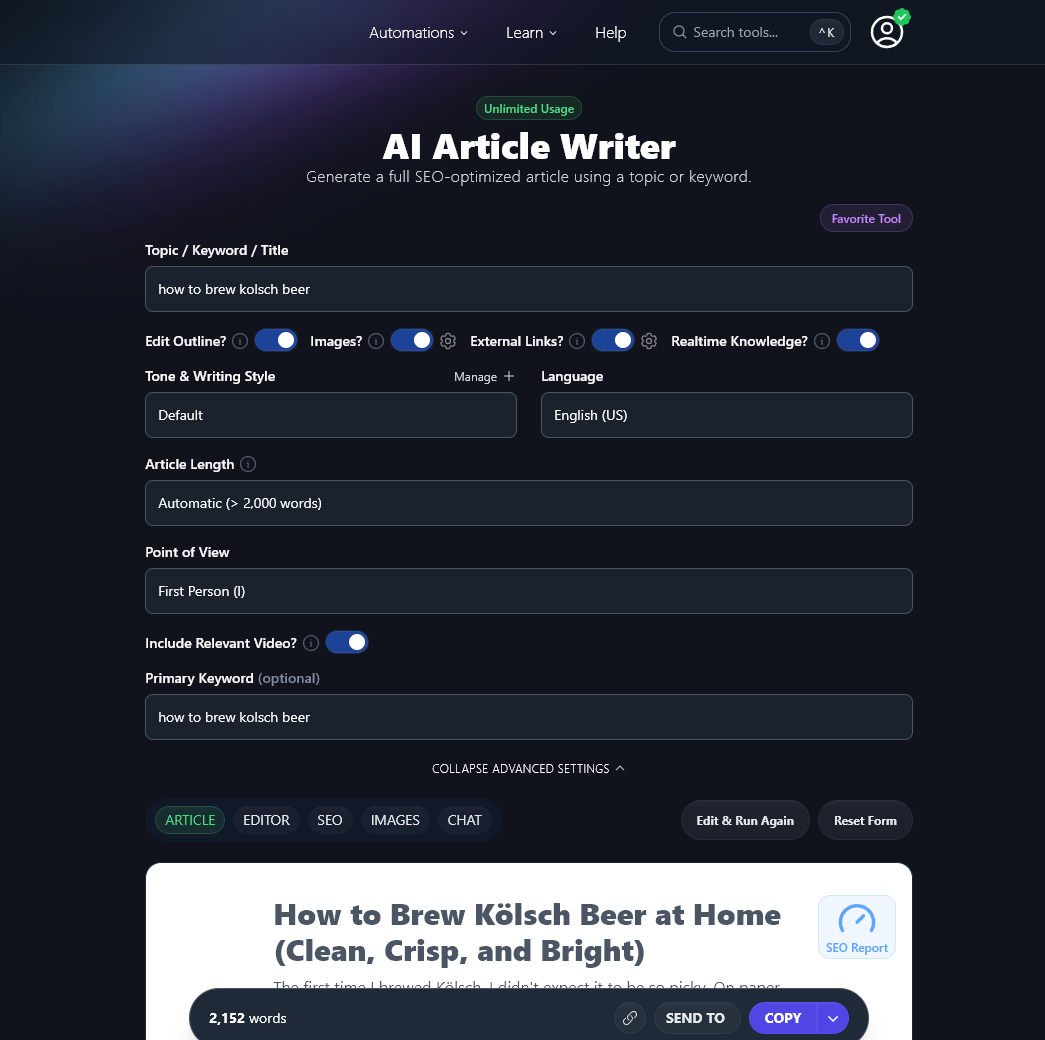
If you’re new to blogging or find it tough to write posts quickly, RightBlogger has loads of tools to guide you through how to write a blog post with AI (for free), including the idea generator, introduction writer, conclusion writer, outline generator, grammar fixer, and so many more.
You can even use the autoblogging feature to have AI automatically create SEO-optimized articles and send them straight to your WordPress blog as drafts for you to review. This lets you scale fast, without needing a whole content creation team.
There are some other really cool features too: one of my favourites is the Tool Studio, where you can create your very own AI tools to publish on your site. I used it to make a Character Name Generator for my blog about fiction-writing: it shot onto page one of Google almost straight away, and it’s one of my highest traffic pages!
One of the things I really like about RightBlogger, compared with other AI text generator tools aimed at bloggers and content creators, is that they have a 100% free account that doesn’t require a credit card during signup—and if you want to go further with their tools, their pricing is very reasonable.
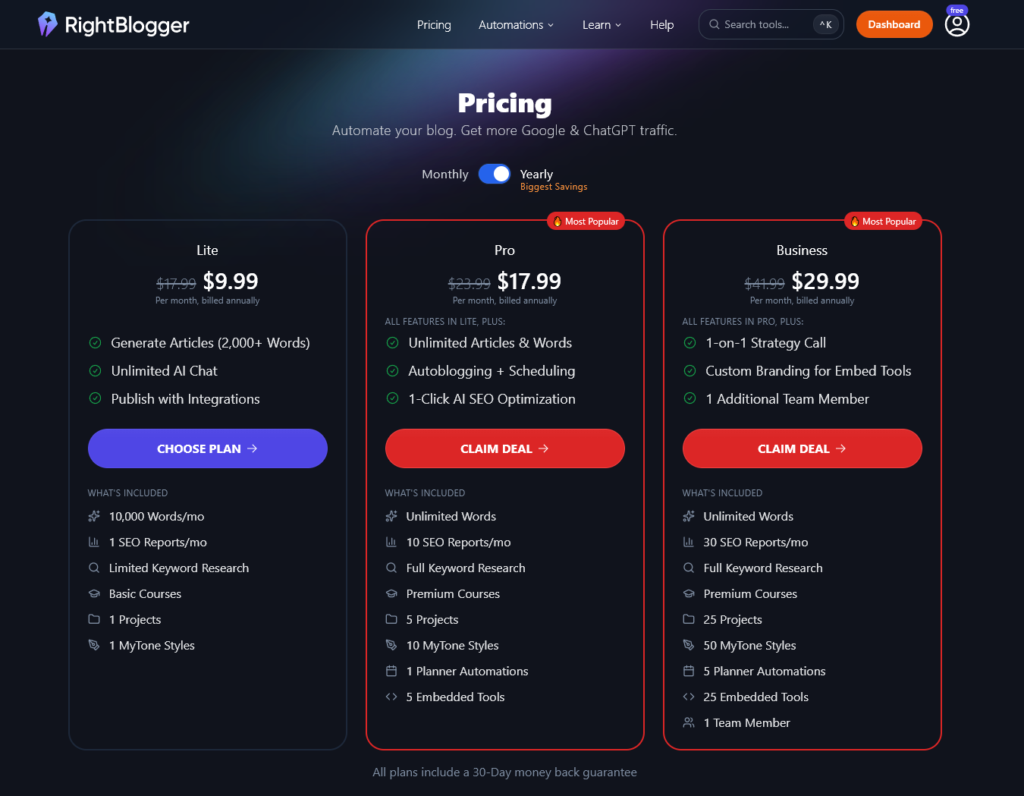
Currently, RightBlogger costs from just $9.99/month for the “lite” account, or from $17.99/month if you want unlimited articles and words. That’s less than you’d pay for a ChatGPT Plus subscription ($20/month), and you get Chat & so much more inside RightBlogger.
RightBlogger doesn’t have a word limit or “credits” limit in place on their Unlimited Plan. This is a huge bonus for bloggers. Even if you think you’ll only be creating a few articles each month, with most premium AI tools, you can run through credits alarmingly fast if you want to try a bunch of ideas or styles. With RightBlogger, you can use the tools as much as you like, experimenting with different ideas, different tones of voice, and even different languages.
Why Use RightBlogger Instead of ChatGPT?
ChatGPT has become super popular with bloggers and content creators, partly because the basic version is free and it’s very quick to get started with. RightBlogger also has AI-powered Chat as both a standalone tool & built into almost all tools, so you can ditch your ChatGPT subscription and still interact with your creations in an unlimited number of ways:
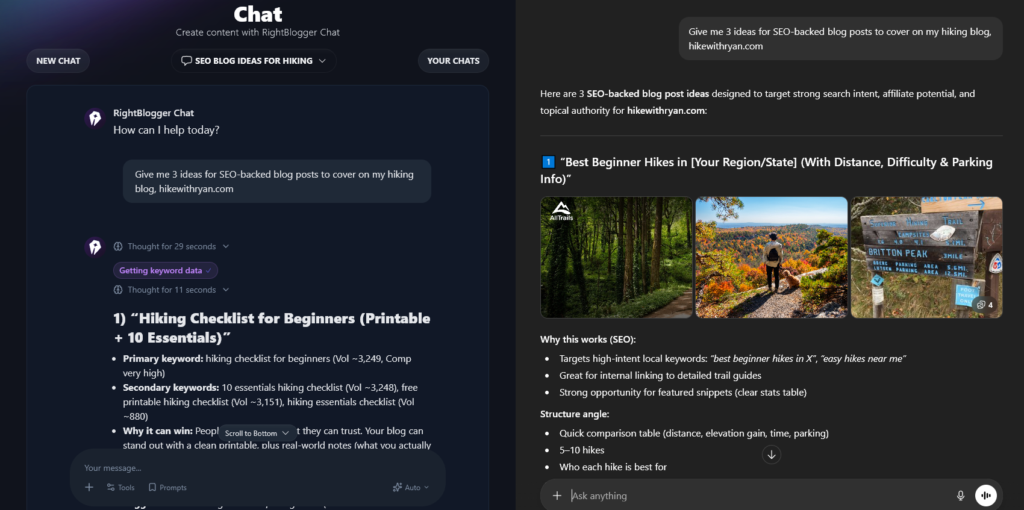
If you look closely at the screenshot, you’ll see that RightBlogger has the edge here: it offers keyword volume and competition built right into the chat. But ChatGPT doesn’t give you any indication of whether the keywords are high or low volume, and it assumes that the blog is a location-based business. It’s not the best AI tool for serious bloggers and content writers. Just figuring out how to get what you want from it can involve a lot of trial and error as you type in prompt after prompt.
RightBlogger makes everything easy with pre-created AI-powered tools (aimed squarely at bloggers and online business owners) that you can use to quickly and easily generate the content you need.
With most of these tools, you just need to pop in a keyword, add your take on the subject, and optionally select a tone/style from a dropdown in order to get a really solid first draft.
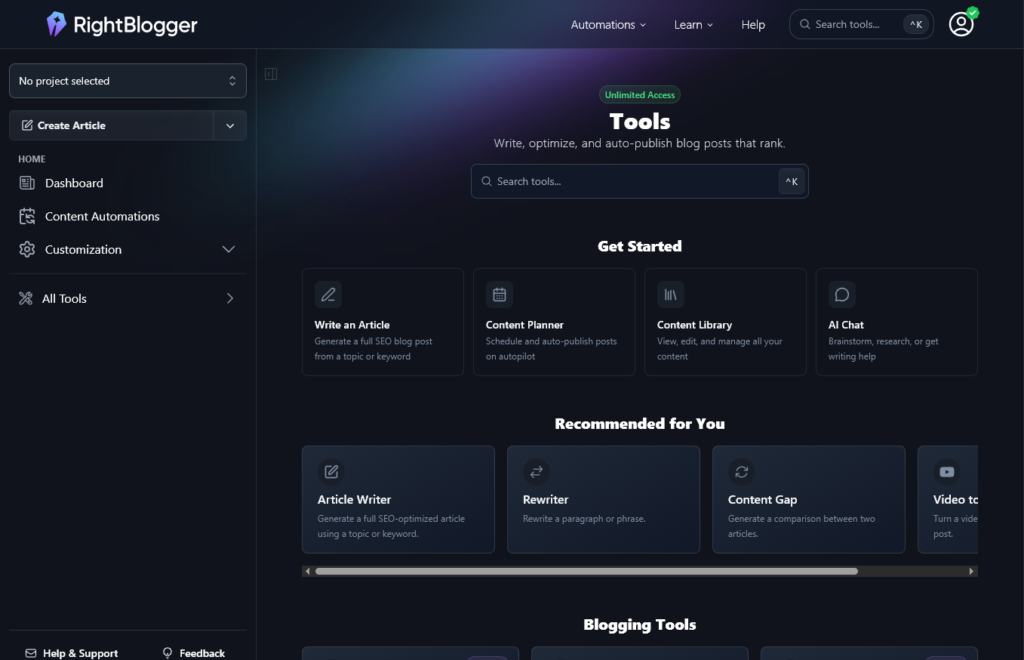
It’s super quick and easy to create high-quality content … no more fiddling with prompts and getting an unexpected result.
As well as all the tools you need for blog writing, RightBlogger lets you create your own images, plus AI-generated text for social media posts (covering LinkedIn, YouTube, Twitter/X, Facebook, Instagram, TikTok, and more). There are also tools for sales copywriting, email marketing, product descriptions, and landing pages, if you’re creating marketing copy. Plus you can use it for podcast ideas, YouTube video scripts, and pretty much any type of content you might want to create.
If you’re focusing on SEO content to get more traffic, you’ll love the powerful AI SEO editor, and the SEO-optimized text options like meta titles and meta descriptions.
How to Get Started With RightBlogger (and Incorporate it Into Your Content Workflow)
Want to give RightBlogger a try? You can start with a 100% free account (no credit card necessary)—and if you decide to upgrade to their Unlimited Plan, don’t worry, if RightBlogger isn’t for you, there’s a full 30-day refund period.
Head on over to RightBlogger and click the orange “Get Started Free” button:
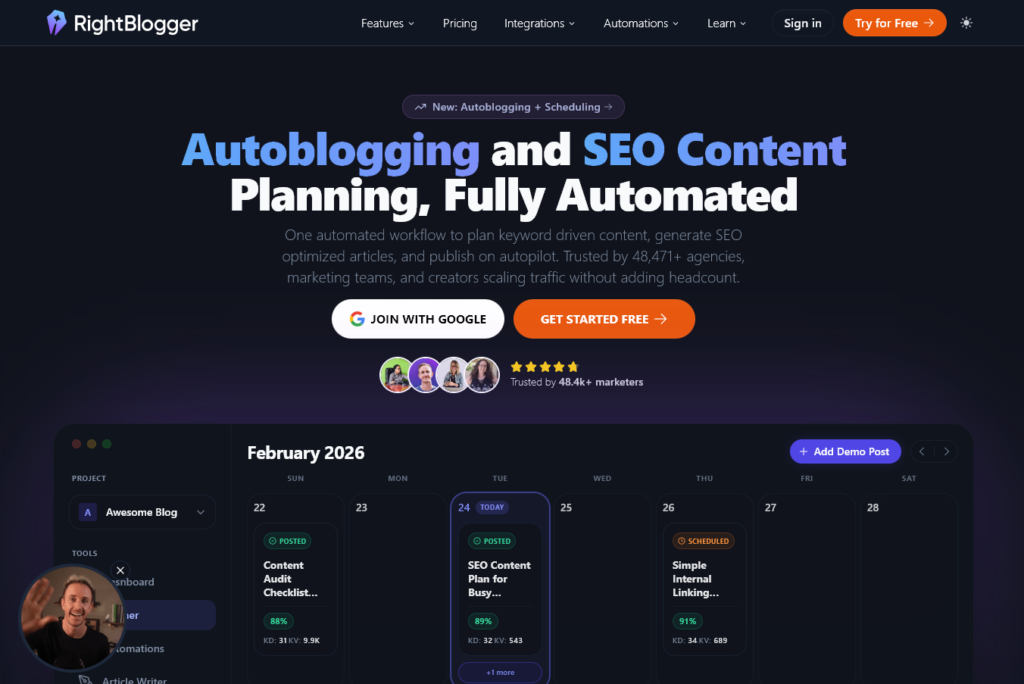
Next, you can simply log in using your Google account, or sign up with your email address.
As soon as you’ve given the tools a try, I’d recommend upgrading to a paid plan. You can cancel at any time, and Ryan’s super generous with refunds to anyone who asks. You want to be able to write as many articles as possible and start getting lots of great content out there!
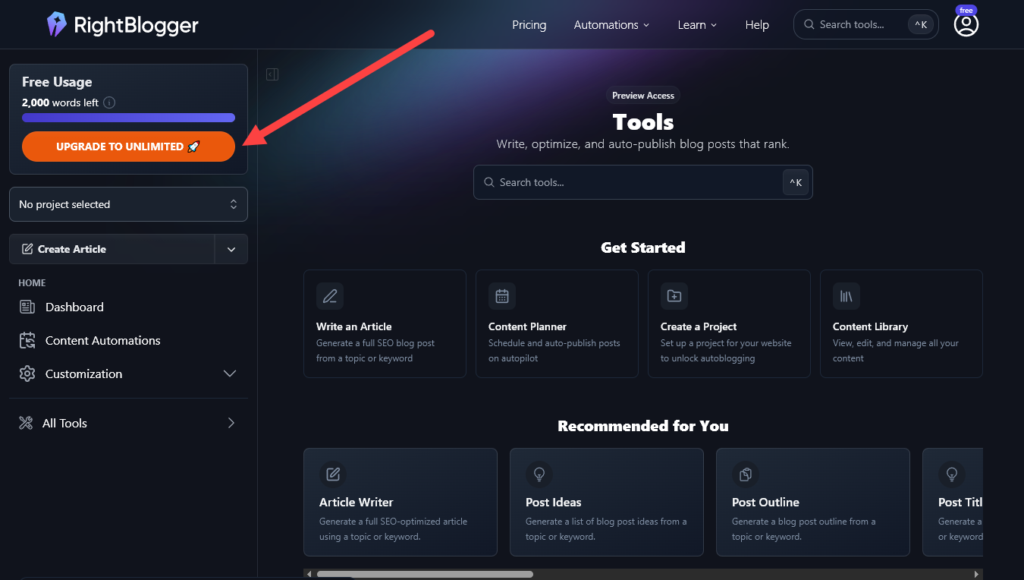
When you’re ready, just click the orange “Upgrade to Unlimited” button on the top left.
Then, you can pick whichever plan makes most sense for you. The “Pro” plan gives you unlimited words, plus 10 SEO reports/month and full keyword research tools, so that’s the one I recommend for most new bloggers. If you want to grow fast, definitely opt for the Business plan. It’s great value, and you get a 1-on-1 strategy call with Ryan (who is super helpful and supportive of bloggers at all stages).
Tip: Not sure or on a really tight blogging budget? Start with a free RightBlogger account to try things out. I recommend using the full, unrestricted versions of the tools inside RightBlogger for the very best results—but if you’re a brand new blogger just getting started, try their free account, or take Ryan’s free blogging tools for a spin first.
Once you’ve created your RightBlogger account, you can log in and explore all the different tools. Feel free to have a play around with them—you won’t break anything! But if you want a more structured approach, just follow the steps below to create a blog post.
How to Write a Blog Post with AI (for Free): My RightBlogger Tutorial
Alright, so you’re ready to create your first blog post using RightBlogger—but you don’t know what to write about. No problem! RightBlogger has some fantastic tools to help you. We’ll run through the whole content creation process, step by step.
Step 1: Choose a Keyword Using the RightBlogger Keyword Tool
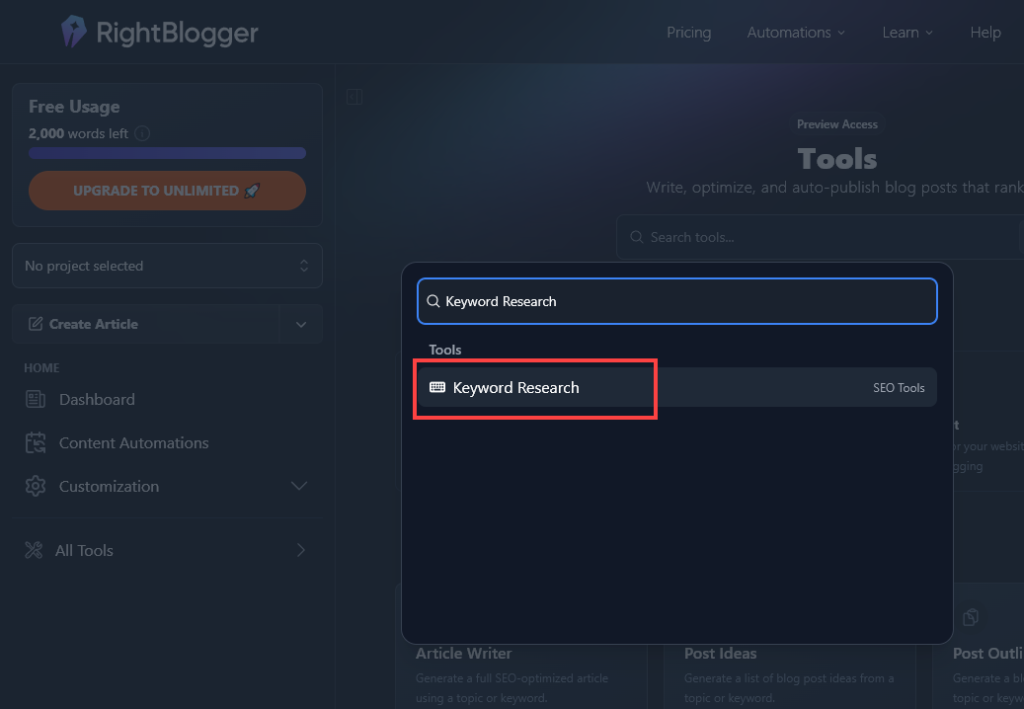
The first tool I’d recommend you use is the Keyword Research tool. Just type “Keyword Research” into the search bar at the top, and then click on it in the search results:
Free Alternative: Ryan’s made a version of this keyword research tool available completely free.
Keyword research is the foundation of good SEO (search engine optimization). If you’ve found the idea of keyword research a bit daunting in the past, don’t worry—RightBlogger can handle it all for you.
All you need to do is put in a starting keyword or seed keyword that relates to your blog topic. Let’s say you’re writing a travel blog. You might want to write about “travel in Europe”. Type in that keyword and hit the Submit button.
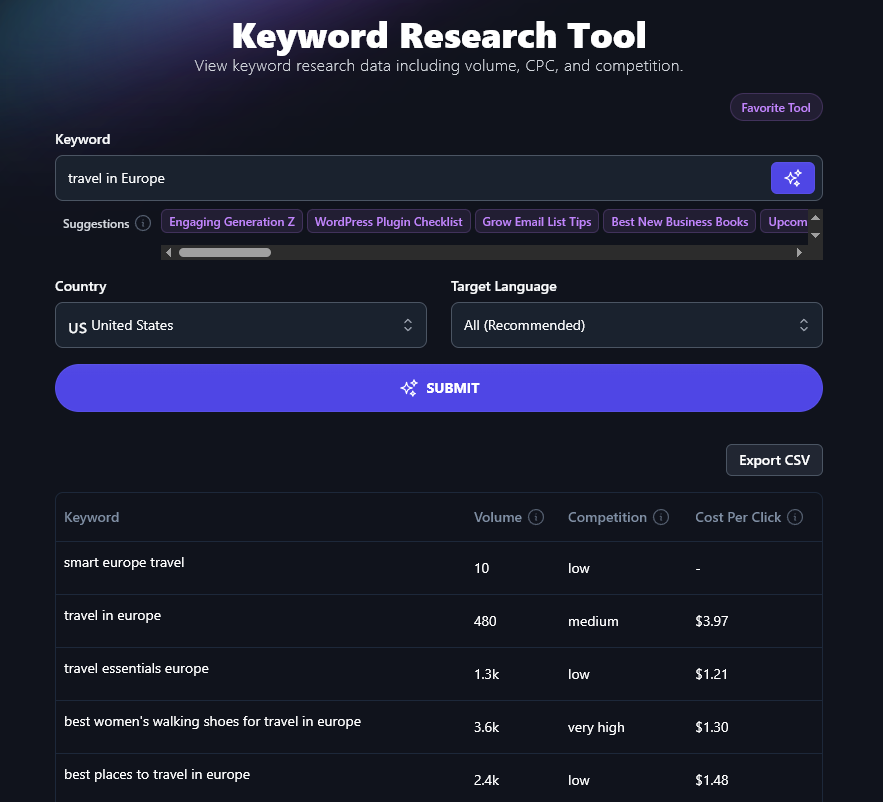
You’ll see a whole list of keywords, with volume, competition, and cost per click. You can sort this list by clicking on the headers.
Tip: Look for keywords with 1,000-10,000 volume and low or medium competition. These should be achievable and bring in enough traffic to be worth targeting.
You could save a list of keywords to target or you can pick one for the post you’re working on. Depending on your keyword, you might be able to easily come up with a blog post title. For instance, if your keyword is “cheapest places in Europe to travel” you might title your post: 12 Cheapest Places in Europe to Travel (and What Makes Them Special).
Step 2: Come Up With Ideas for Your Blog Post With RightBlogger
Another way to come up with your blog post idea is to use the Post Idea tool. (If you don’t have a RightBlogger account, you can use the free blog post idea generator instead.)
Let’s say you have a blog about healthy eating and you want to write something on that topic, you’re just not sure what. Go ahead and put “healthy eating” in as the Topic/Keyword, then hit Generate.
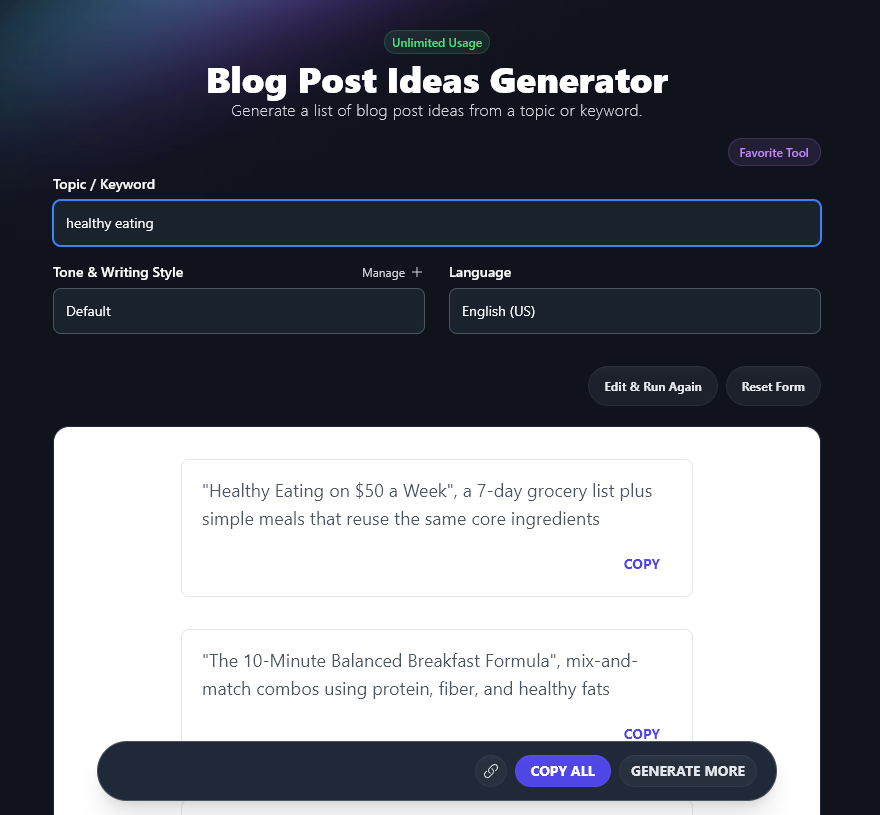
You’ll get 10 blog ideas—if you want more, just go ahead and run the tool again for the same keyword. You can brainstorm tens or hundreds of ideas in dramatically less time than it would take to come up with them on your own.
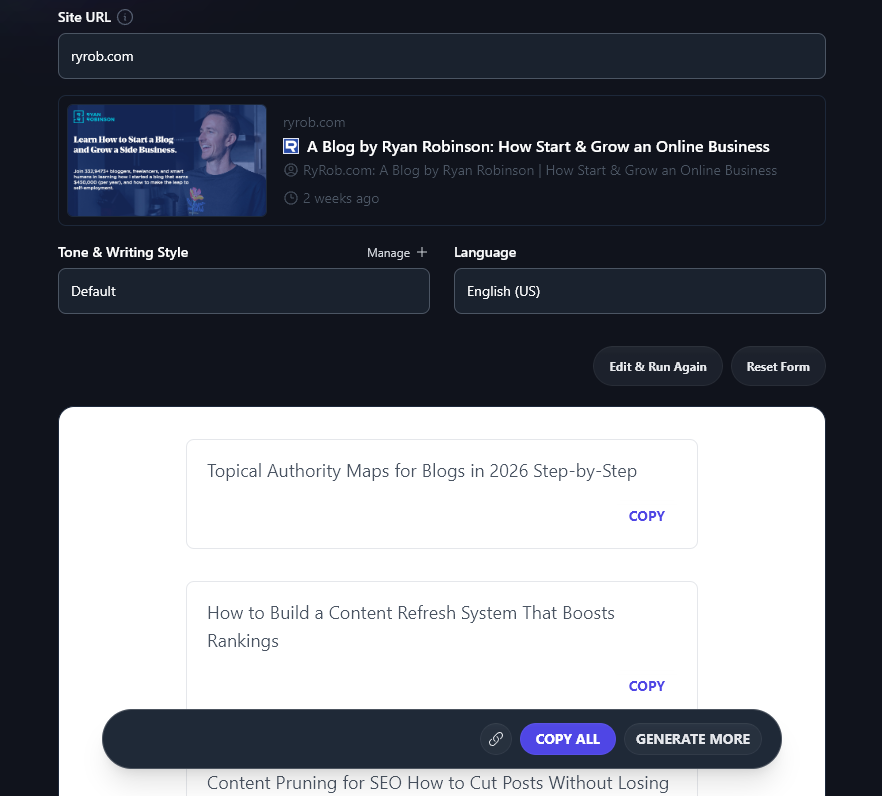
Another amazing tool to use, if you’ve already got an established blog, is the Smart Suggest tool. This works like magic (seriously, I was blown away the first time I used it to come up with topic ideas for my own blog).
You simply pop your blog’s URL into the tool and it’ll instantly analyze your existing posts and come up with 10 titles on similar topics. Here are a few it created for RyRob.com:
Step 3: Outline Your Blog Post With RightBlogger
As a freelancer, I deal with a lot of blog post outlines. With some of my clients, I develop their ideas into full outlines and get those approved before drafting the full piece. With other clients, they send me outlines to work from. And for my own blog, I outline posts ahead of time to help me stay on track with my content calendar.
There are a couple of ways you can use the Post Outline tool in RightBlogger:
- Use the tool to create your outline first, then edit the outline (removing/changing ideas that you’re not so keen on, and adding any extra ideas)
- Write your outline first yourself, then use the tool to check whether you’ve missed anything you’d want to include
Personally, I usually go for option 2, at least with my own blog where I want posts to really carry my own voice and ideas. But neither way is right or wrong.
Tip: If you don’t have a RightBlogger account, you can use the free blog outline generator.
Let’s say you’re writing a personal finances blog and you’ve chosen an idea from the idea generator: The Ultimate Guide to Building an Emergency Fund: Why You Need It and How to Get Started.
You know this post will be a great fit for your audience … but you’re not sure where to begin putting that guide together. Simply copy that title into the Post Outline tool and RightBlogger will handle everything for you. If you want, you can even include a keyword (“building an emergency fund”) for the tool to incorporate:
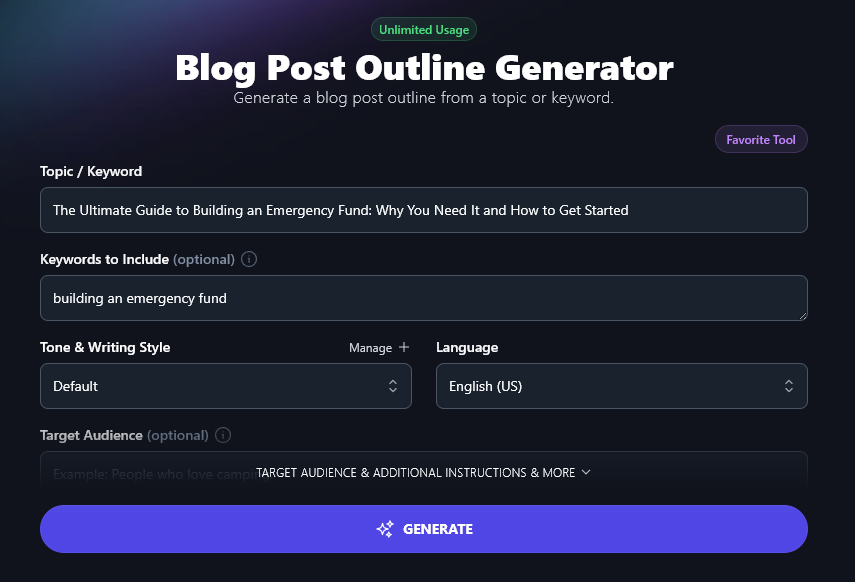
When you’re ready, just go ahead and hit the “Generate” button. Here’s the outline:
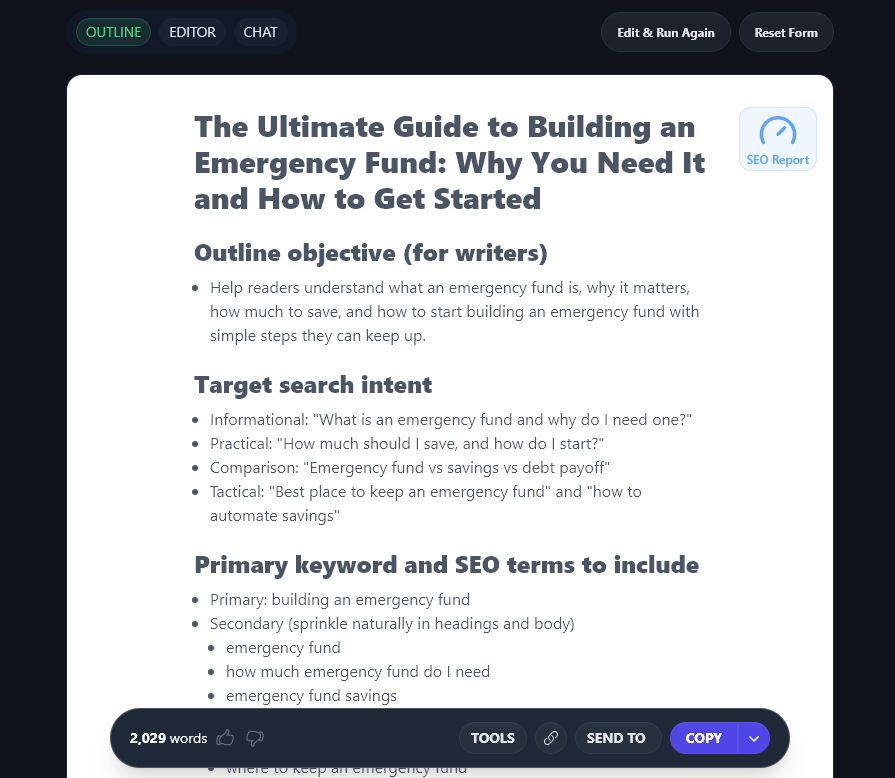
You can copy this outline into Google Docs, Notion, Evernote, or any tool of your choice, then edit it to suit you. By default, the tool produces in-depth, comprehensive outlines that you could use as a brief for a freelance writer tackling the post, or for an AI tool. If you want shorter outlines, just specify that in the “Additional Instructions” box.
If you’re writing an outline yourself, I’d recommend making sure you include a few talking points for your introduction and conclusion, and giving yourself a clear structure with subheadings to cover major points in the main body of your post—just like RightBlogger does. For more help, check out this guide to creating an engaging blog post structure.
Tip: Using the Article Writer? Select to “Edit Outline” and you can create your outline right there in that tool, adjusting, adding, and deleting sections from the AI’s outline as needed.
Step 4: Draft Your Post (With or Without RightBlogger!)
When it comes to drafting, I personally prefer to write my blog content myself, without using AI tools except in limited circumstances (e.g. if I want to rephrase a paragraph from a post I’ve already written). This works best for me as I’m a fast writer and I find myself spending too much time editing AI-drafted content to make it sound just right.
But if you’re a slower or less confident writer, or if you’re just in a hurry, then it’s fine to use AI for your first draft. Many writers find it helps a lot to have something down on the page. You can then spend time editing it to add in your own ideas or your personal style.
The AI writer doesn’t draw directly from any single source, so the content you draft using AI algorithms will automatically avoid plagiarism.
If you’re using RightBlogger as an AI blog writer, these are some of the best tools to try:
The Article Writer
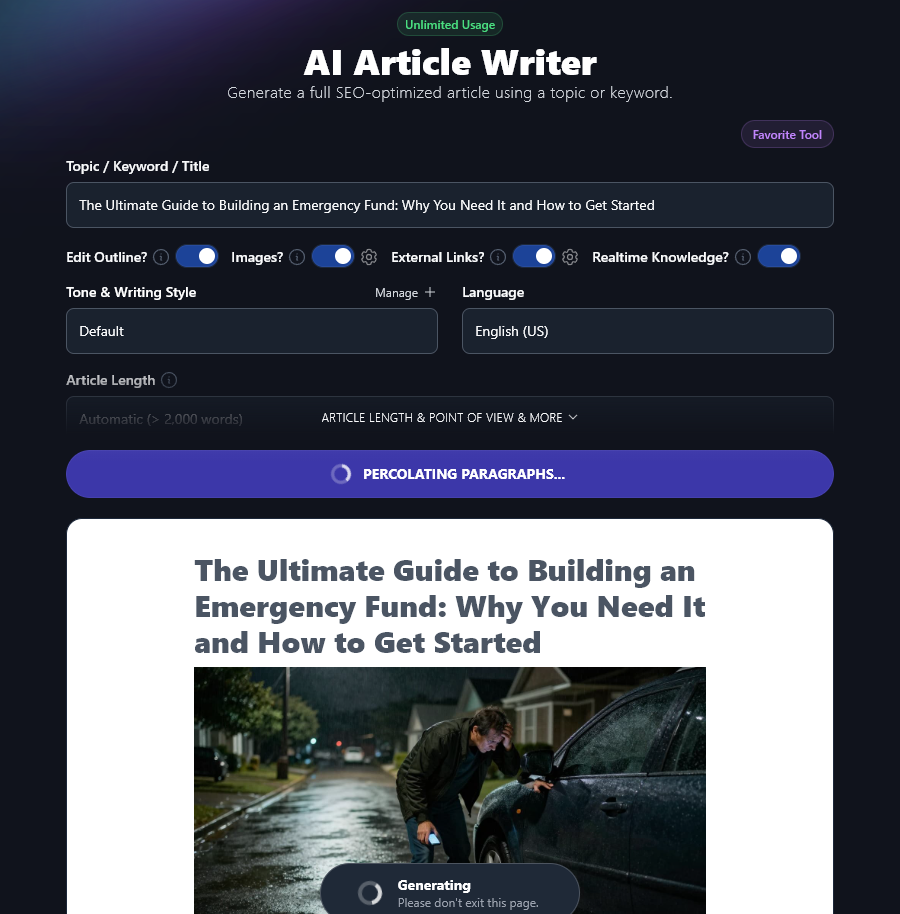
This tool is incredible for content generation! It can put together a full long-form blog post for you, complete with images, links, and even real-time data. You can choose to edit your outline before the tool creates your article, too. (There’s a free version of the article writer, too, but it’ll only produce short blog posts.)
If you’re in a hurry or you’re creating fairly basic content, such as sponsored content for link building, this tool can do 90%+ of the work for you, taking you from a blank page to full generated text in just minutes.
Tips for Using the Article Writer Effectively:
You’ll get the most out of this AI writing tool if you:
- Adjust the “Tone & Writing Style” to suit you. The default tone and style will work fine in many cases, but you can get more of a sense of voice and personality by picking something like Creative, Casual, Excited, or Fun & Quirky. Try as many options as you like until you find one that matches your brand voice. If you’ve got a paid RightBlogger account, definitely set up a MyTone (it takes seconds to train the AI on your personal tone of voice and style … just give it something you’ve written or even a video).
- Use the Advanced options. Here, you can choose between short-form and long-form content, add extra instructions for the outline, and even choose what point of view to use for your article (I, we, you, or they). You can also add additional instructions (in natural language) and tell the article writer more about your target audience. If your first draft didn’t turn out quite how you wanted, tweak these settings to get it spot-on the next time around.
- Change the language if you’re writing for a non-English audience. There are over 100 different languages to choose from in RightBlogger, saving you from ever needing to manually translate content.
The Post Introduction Tool
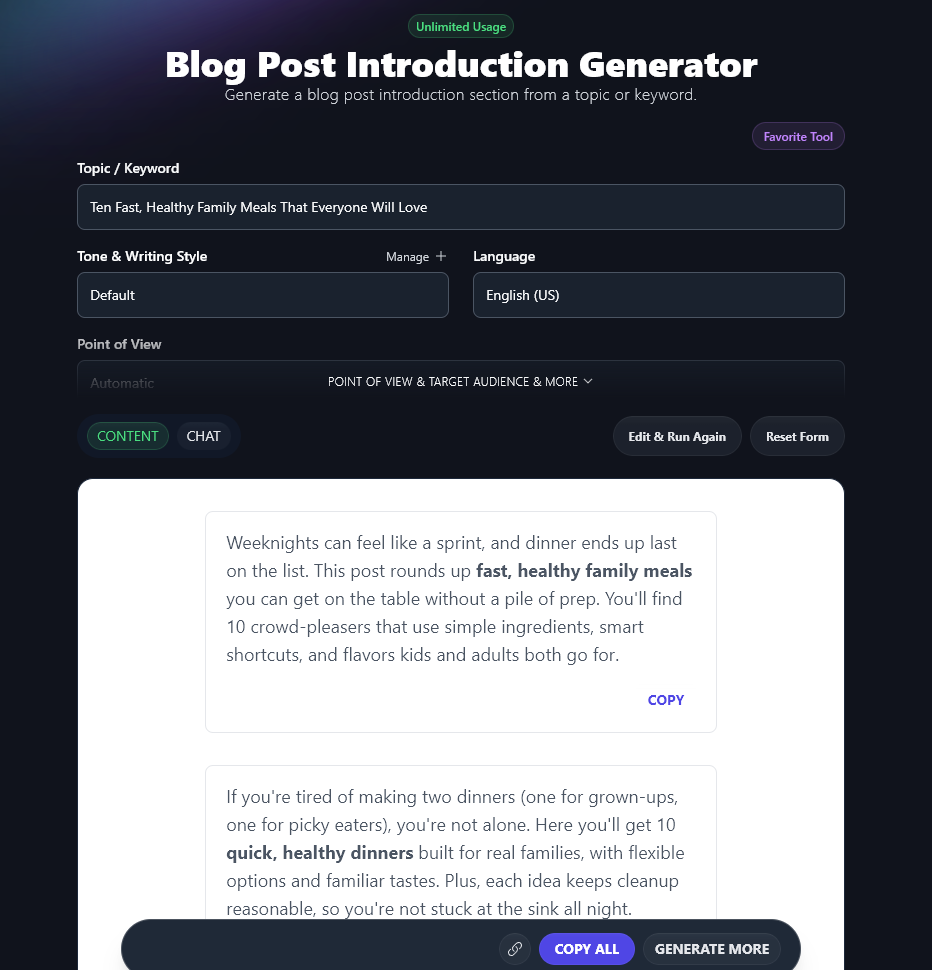
Nailing your introduction can be so tough. I often advise bloggers to simply skip the introduction, start with their first main point, and write the intro once they’ve finished the rest of the post. But I know some people find it really hard to move on without something down on the page.
The introduction tool lets you quickly create the introduction to your post (based on your topic, title, or keyword). You’ll get 4 options to choose from, and you can just click “Generate More” if you’d like more.
If you’ve not got RightBlogger, you can use the free introduction generator instead as a starting point.
Tip: Chosen a keyword to optimize your post around? Add it in “Keywords to Include” as it’s important to use your keyword early on in your blog post.
The Paragraph Tool
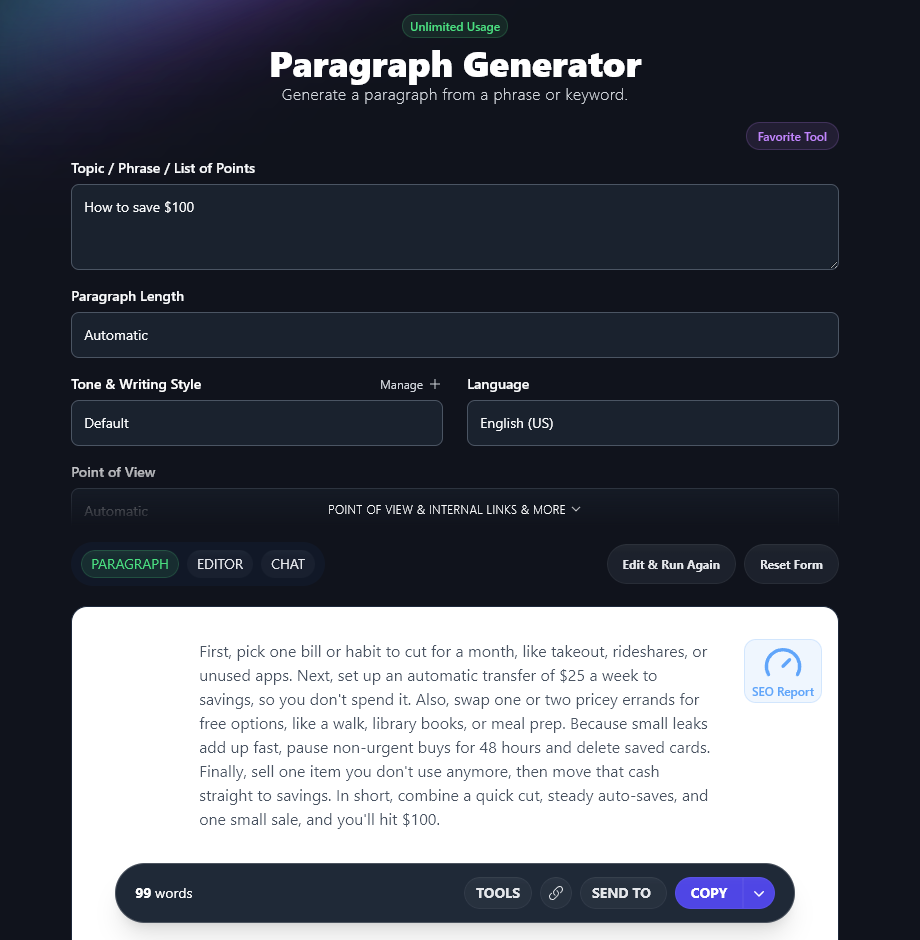
The paragraph tool does what you might expect: it writes individual blog post paragraphs. This is really handy if you want to draft most of your post yourself, but you’re struggling with writer’s block on a couple of paragraphs. Just choose a bullet point or short phrase from your outline and give it a whirl. With the help of AI, you’ll have your final paragraph or two in seconds.
Not got a RightBlogger account? You can use the free paragraph writer here.
The Rewriter Tool
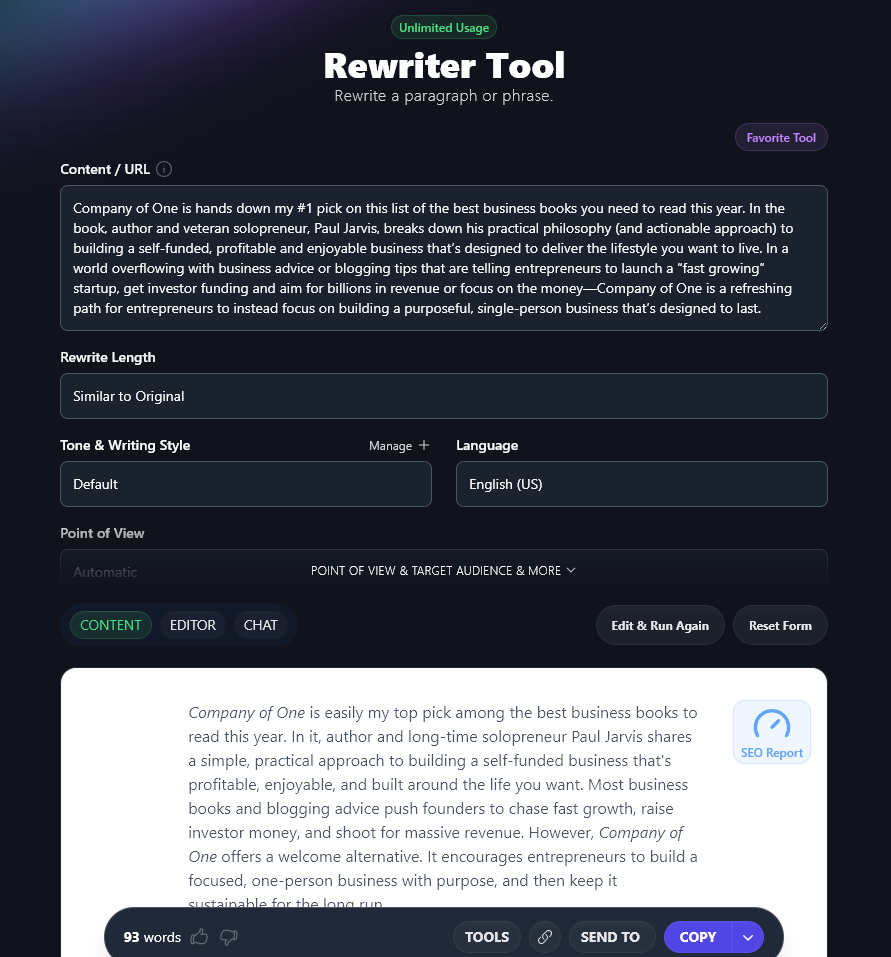
If you do a lot of blogging, you’ll sometimes find yourself needing to cover the same ground, especially if readers are often asking questions about the same few specific topics. Maybe you wrote a list of your favorite business books, for instance, and now you’re writing a list of the books you’ve read in 2026—at least a couple of those books might be the same ones.
It’s best to avoid copying the exact same information from one post to another (this can cause “duplicate content” issues with Google). Instead, you can use the Rewriter tool as an AI writing assistant to rework your content—keeping all the same information but wording it differently.
If you don’t have access to RightBlogger, try the free paragraph rewriter for paraphrasing instead.
The Post Conclusion Tool
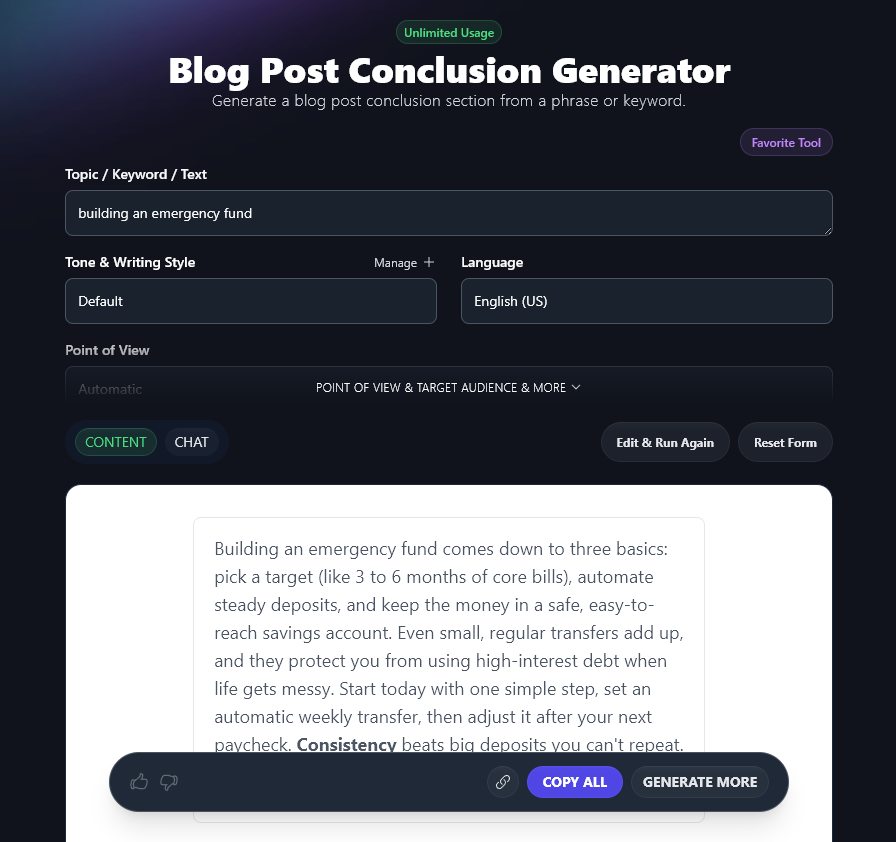
Like introductions, conclusions can be tricky to write. In fact, one of the biggest mistakes I see bloggers making is that they simply leave off the conclusion altogether. They might stop with the final point of a list, in a listicle, or simply end the post without a sense of closure.
The post conclusion tool in RightBlogger lets you create a clear ending paragraph for your post. You could use this verbatim or you can edit it or use it as inspiration for your own conclusion. Just like with the introduction tool, you’ll get 4 different options to choose from, and you can instantly generate more if you want.
There’s a free conclusion tool as well, if you don’t yet have a RightBlogger account.
The FAQs Tool
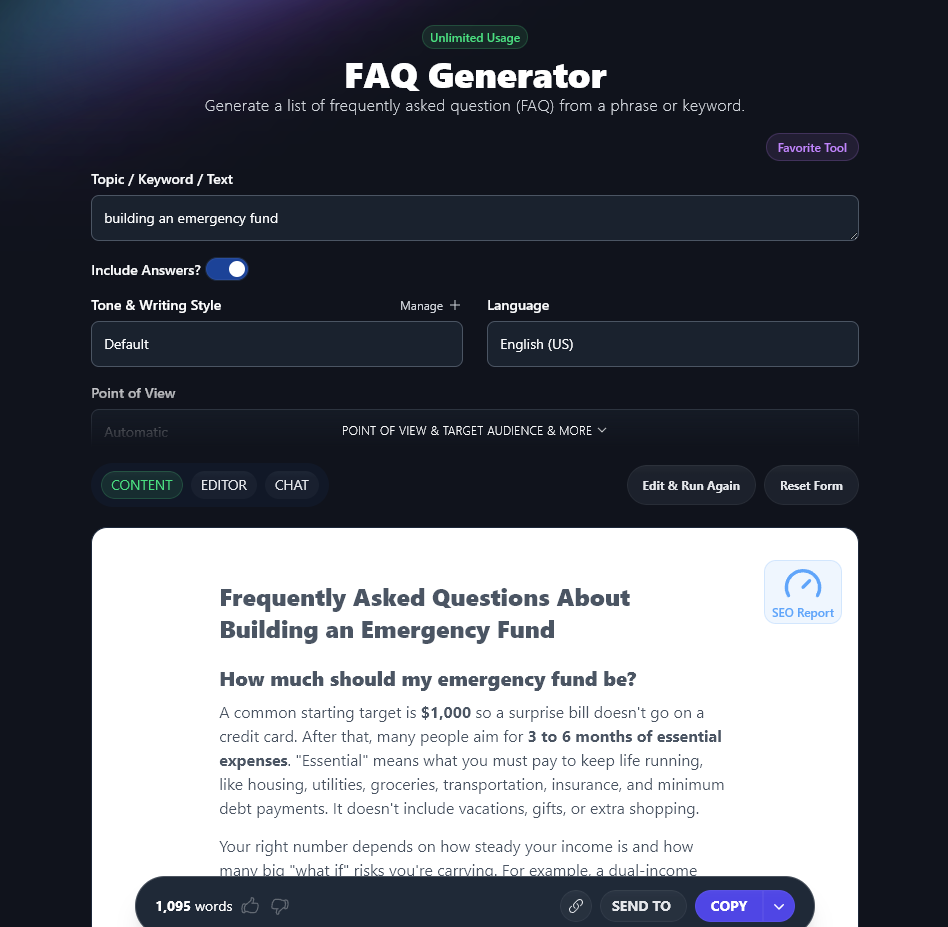
Need to round out your post with some FAQs (Frequently Asked Questions)? This can be a great way to make your post even more useful for readers—and it can give your blog’s SEO a boost, too.
The FAQ tool can come up with a whole set of FAQs for any topic. You can opt for just the questions or you can include answers too, and just like with the article writer, the FAQ generator’s functionality includes the option to use realtime data.
Step 5: Optimize Your Blog Post for SEO
For any blog post (AI-written or human-written!) to perform well in Google’s rankings, you need to think about SEO, which stands for search engine optimization. I know it can sound quite techy, and for years I didn’t know where to begin! But after paying a bit more attention to blog SEO, I have a bunch of posts that bring in loads of traffic from Google and other search engines.
The fantastic thing about AI tools like RightBlogger is that they can do a lot of the heavy lifting with SEO for you. With RightBlogger’s AI SEO Editor, you can create an SEO Report for any keyword that you’re optimizing for. You can even use this tool to auto optimize the post: the AI will rewrite your draft to make it as SEO-friendly as possible.
Here’s a post I’m optimizing for the primary keyword how long is a novel:
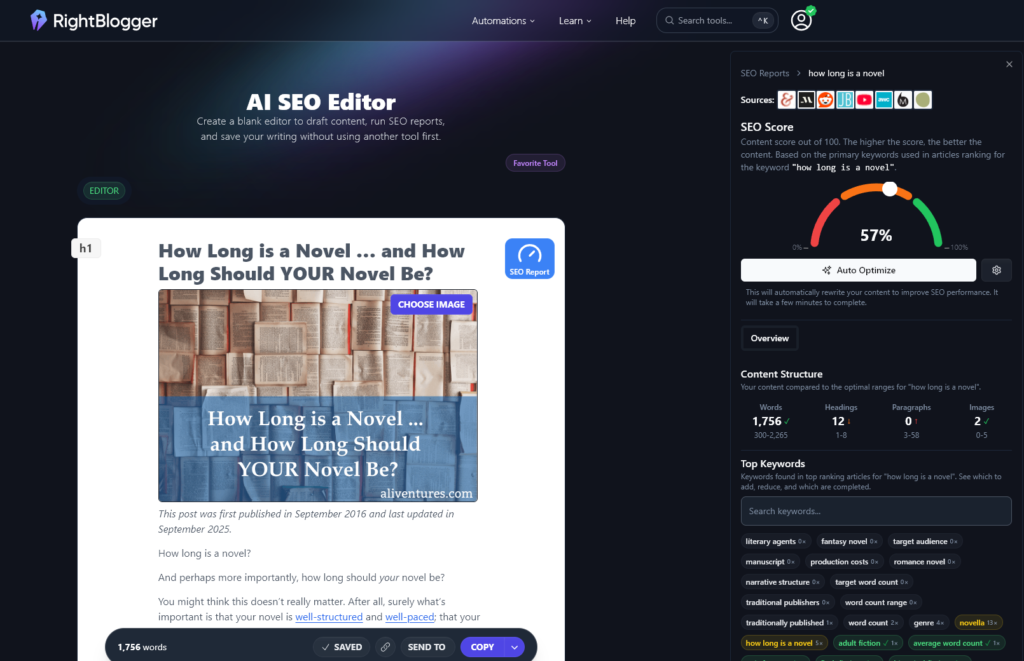
In the AI SEO Editor, you get a score out of 100 for your keyword, with crystal clear guidance on what you need to do in order to improve: that might mean adding headings, breaking up long paragraphs, including more images, or using specific related keywords.
Some people think that adding these keywords will make their content sound robotic or weird. If that’s the case … you’re doing it wrong! Use the keywords as a guide to help you spot missing sections or ways to phrase things that make sense to your target audience.
Tip: Got an existing post you want to improve? You can import content into the SEO editor from any URL.
Step 6: Check Your Facts and Your Grammar & Spelling
Once you’ve got a complete blog post, it can be really tempting to just go ahead and hit Publish. But it’s important to spend at least a little bit of time on the final stage of the writing process: editing your post before finalizing it.
Whenever you’re using any AI tool, you need to check any facts, citations, and references in your post. AI tools are getting better all the time, but they may still sometimes assertively state facts or create statistics out of thin air. Good fact-checking means making sure you find a reputable source for any specific information (like numbers, percentages, or quotes) within your post. Ideally, look for a government website, large newspaper website, or a well-known blog that states those facts.
It’s also important to check your grammar and spelling before publishing. AI content should be flawless in this regard! The grammar fixer in RightBlogger is handy if you’ve drafted your own content, especially if you know you sometimes struggle with grammar, spelling, or punctuation. There’s even a free version of the grammar fixer that you can try out to help polish your text.
This is also a great stage to think about formatting: good AI tools should put in things like keyword-rich subheaders for you, using appropriate header format, but you may also want to add bold text, italics, break up paragraphs, and so on for readability.
Tip: If possible, give yourself a bit of time between finishing your post and editing it. You’ll find that mistakes in your original content jump out more when your eyes are fresh.
Give RightBlogger a Try—and Learn How to Write a Blog Post with AI (for Free) Today
I know AI isn’t for everyone … but I do think that every blogger should give it a try. There are so many different use cases that you’re sure to find a way to use AI-generated content to help streamline your blogging process.
Even if you don’t want to write blog posts with generative AI, you can still use it to help you come up with ideas or to refine your outlines, it could be well worth your time and money, as its powerful automation tools will help you produce better posts, faster.
You can sign up for a free RightBlogger account and get started with the premium versions of all Ryan’s tools today (and we’ve only scratched the surface in this post … there are 80+ different tools in there to choose from). RightBlogger is getting more advanced all the time, too, with the power of machine learning.
If you can’t afford RightBlogger at this stage on your blogging journey, go ahead and use Ryan’s free AI tools instead. There are over 50 of them and you don’t have to sign up or jump through any hoops to use them—they really are completely free.
Above all, when you’re using AI, treat it as a handy assistant and companion on your blogging journey. You don’t need to hand over any control—but you can definitely hand over some of the more tedious bits of content writing and content marketing.
I’d love to hear how you get on with RightBlogger and/or the free tools, so do pop back and leave a comment below to tell us the title of the blog post you’re working on and which tools you’re using.
Create Automated SEO Blog Posts in Minutes with RightBlogger
Join 45,417+ bloggers, marketers, writers & business owners in using RightBlogger, my very own Autoblogging solution with a built-in automated Content Schedule, and a kit of 80+ powerful tools for blogging, SEO, and marketing. You’ll create AI SEO-optimized content faster & get more traffic from Google and ChatGPT today. Plus, you’ll access online courses, a community, and more.

Great insights in this post! The SaaS industry is evolving rapidly, and it’s refreshing to see content that not only highlights emerging trends but also provides practical strategies for growth and efficiency. Your analysis on was particularly valuable and aligns well with the challenges many businesses face today. Keep up the excellent work—resources like this are crucial for driving innovation and success in the SaaS space!
Thanks so much, Manav! Things are moving so fast right now, aren’t they? I think AI can be hugely helpful for bloggers … when used the right way. 🙂
I find AI tools to be fascinating. I think I love them for the their help and possibilities and dislike them because I am afraid they will make blogging obsolete. That AI will just write the most through post by putting all ours together and then that will be the only one that receives traffic. Cool and scary all at once.
I’d hate to see writers and bloggers becoming obsolete! I think AI can do amazing things — it’s so fun to try out different tools and see them improving all the time — but I do feel that the unique insights and experiences of real people will always be of interest to readers.
Your use of AI Right Blogger adds a unique edge to your blog, taking it to a whole new level of excellence.
Thanks Edward!
Thank you for sharing this valuable information, I observed your post on How to Write a Blog Post with AI to be tremendously insightful and well timed. As a virtual mentor, I’ve been intently following the mixing of AI into content advent. Your exploration of how AI can be used to beautify blog writing is in particular valuable.
Thanks Sandeep, I’m so glad you found this post helpful. 🙂
Very informative blog, thank you Ryan
Thanks Flo!
In your article, you skillfully demystify the process of using AI for blogging, providing practical tips and valuable strategies that empower writers to harness technology effectively.
A quite helpful blog on AI for blogging.
This blog post brilliantly demystifies the process of using AI for content creation, making it accessible and exciting for writers at all levels.
Your guide to writing a blog post with AI is exceptionally well-crafted. The blend of technical know-how and practical tips you offer is invaluable for anyone looking to enhance their writing with AI.
Great insights on digital marketing strategies!
This guide was incredibly helpful! Using RightBlogger’s tools has really streamlined my blogging process, making it so much easier to create high-quality content. Thanks for sharing such practical tips!
Trure without any doubt
Thanks Muhammad, it’s great to hear you’re finding RightBlogger’s tools so helpful. Ryan and Andy have done an incredible job creating those … I’m constantly blown away by what all the different tools can do!
This article on leveraging AI for blogging is incredibly insightful! As someone who manages a blog, I’m always looking for ways to streamline content creation without sacrificing quality. The tips on using AI tools for keyword research and optimizing headlines are especially helpful. I’ll definitely be exploring some of the recommended tools. Thanks for sharing!
Thanks so much, Adarsh, I’m really pleased these tips on keywords and headlines were so helpful for you. 🙂
Is the content generated by this tool free from plagiarism?
Yes! We guarantee the content created with RightBlogger (or my free AI tools here on ryrob) are plagiarism free. Here’s why—with generative AI, no original work is being directly copied.
That said, there’s still an ongoing public debate over whether AI-generated content should be considered plagiarism. Some argue that because the content is not created directly by a human, it can’t be considered original content—and therefore must be plagiarized. On the other side of the aisle, many argue that since AI algorithms are designed to create unique content, it’s not technically plagiarism.
Here’s where we stand: We don’t feel AI-generated content constitutes plagiarism, because no original work itself is being copied. The language processing models that power these tools are gathering incomprehensible amounts of information from across the Internet, to uniquely write the content you get when you generate content with tools like RightBlogger. AI writers don’t copy any specific sources, they’re always learning and uniquely explaining a topic each and every time you use one.
That said, we do believe it’s important for bloggers and content creators to use these AI tools responsibly. Always be transparent and ethical in your use of AI tools.
Thanks for clarifying this Ryan!
Great breakdown of how to use AI for blogging! RightBlogger seems like a great tool for speeding up content creation. How do you think it compares to other AI writing tools for SEO?
Thanks! It’s great at generating SEO-friendly first drafts. Come give it a try and see for yourself 😉 like all AI-assisted content tho, you’ll want to spend time on the prompting and on the backend with editing, to make sure it looks, feels, and sounds like it’s truly your content.
Hi
great and very helpful blog I like amazing work
thanak you
Thanks for sharing this amazing piece of content. Very Helpful Post
This article sheds light on the transformative role AI plays in blogging! It’s fascinating to see how tools can enhance creativity and streamline content creation. At TechCospace, we leverage AI to optimize our processes and deliver high-quality projects for our clients. Looking forward to exploring more insights on how AI can revolutionize the blogging landscape.
Great post, Ryan! I’ve been experimenting with AI tools lately to help streamline content, especially around topics like tech hiring. It’s a game changer for saving time, though I still find myself tweaking a lot to make sure it doesn’t feel robotic. Curious—have you had any success writing about more niche topics like how to hire developers on contract? It’s something we’re focusing on at the moment. Thanks again for the insights, always helpful!
I am looking to hire devs, do you provide extended team?
AI tools like RightBlogger are game changers for bloggers aiming to optimize their writing process.
Awesome and helpful post! Thanks for sharing this post. Nice tips shared
This blog is amazing
Super helpful guide! AI tools have made blogging so much easier, especially for brainstorming and drafting. Love that this shows free options—perfect for beginners or anyone on a budget.